System Architecture
Test Services deploys across several OpenLab CDS topology types. The diagrams below illustrate where Test Services components are installed in each configuration.
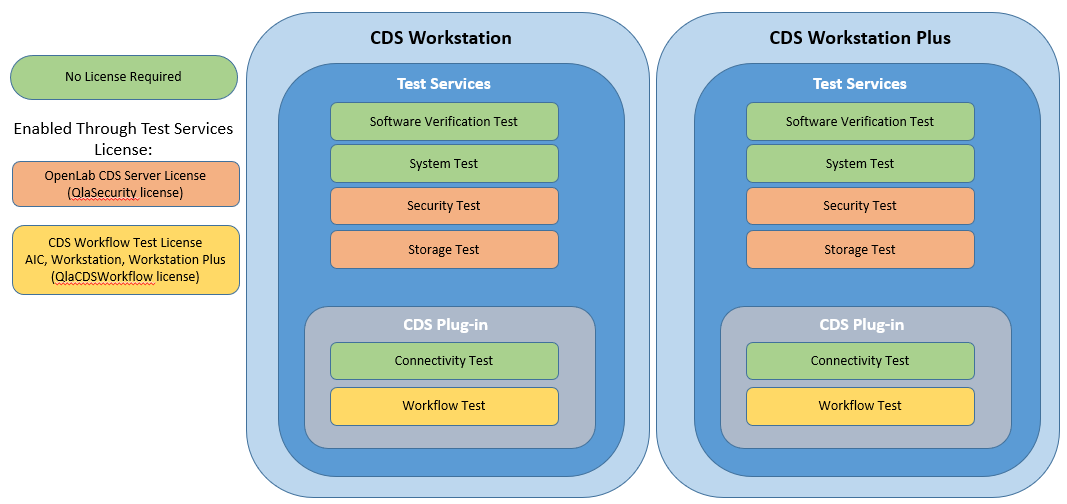
Workstation and Workstation Plus
note
OpenLab CDS Workstation Plus includes all Test Services licenses. For all other systems, Test Services licenses must be purchased separately.
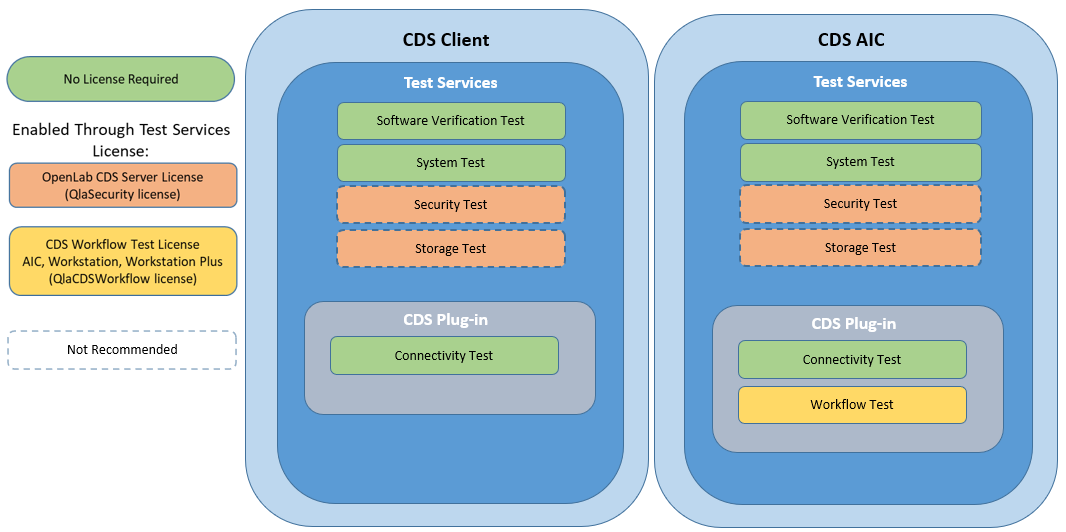
CDS Client and AIC
OpenLab Server
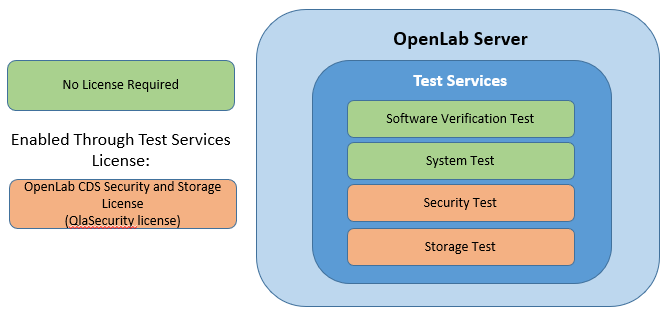
OpenLab ECM
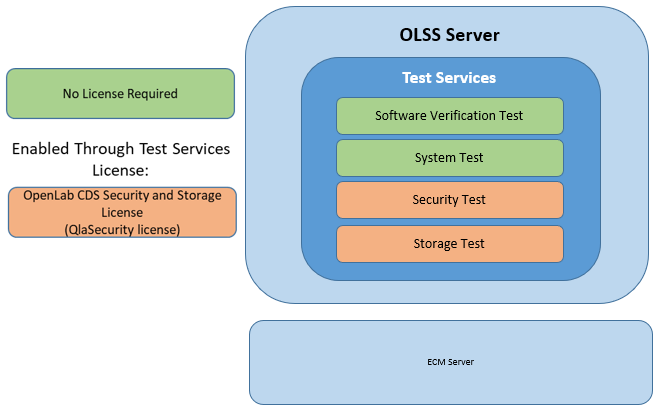
Accessing Test Services
Test Services is accessed through a browser using a URL for the machine on which it is installed.
| Deployment | URL |
|---|---|
| Server, AIC, Workstation, Workstation Plus | https://hostname.domain.com/testservices or https://localhost/testservices |
| Client (local access) | https://localhost:52088/testservices |
| Client (remote access) | https://<client-fqdn>:52088/testservices |
If there is a firewall on a client system, ensure that port 52088 is open.
For Enterprise topology load balancer configuration, see Enterprise Topology Load Balancer.